


The race is on, and it's not the actual race you need to worry about ... yet. It's scoring one of the coveted race bibs during runDisney registration, so you can join the race. Popular races can sell out in less than an hour. Plus, you need to prepare months in advance, as the 2026 race season is already sold out. We're sharing all our frogtastic tips and information with you so you can successfully register for your next race! Here's what you need to know about runDisney 2027 registration, including runDisney registration dates.
Hop To
FAQs
- How far in advance do I need to register for a runDisney race? Registration dates are months in advance of the race weekend. When the runDisney event schedule is released, take note of registration dates.
- What time does runDisney registration open? Online registration typically opens at 10 a.m. ET/7 a.m. PT.
- Can you transfer or cancel a runDisney registration? Generally, race registration is non-transferable and non-refundable.
- Does runDisney registration include theme park admission? No, registration includes a commemorative shirt, race bib and medal upon completion of the race event.
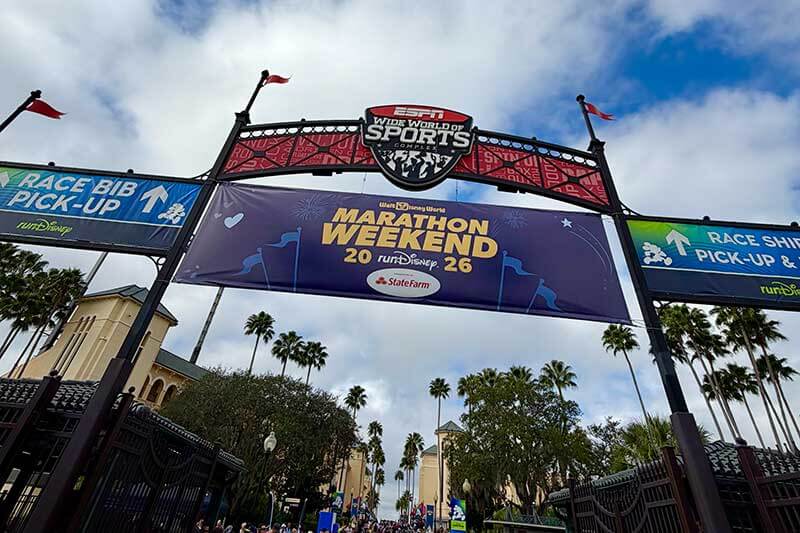
What to Know About runDisney Registration
We're not trying to stress you out about registering for a runDisney race, but we don't want you to take it lightly either. Even experienced runDisney racers can find out that their first-choice race is sold out before they can register. A little prep work, good timing and planning will go a long way to improving your chances of securing a spot. Here are the things to know about runDisney registration.
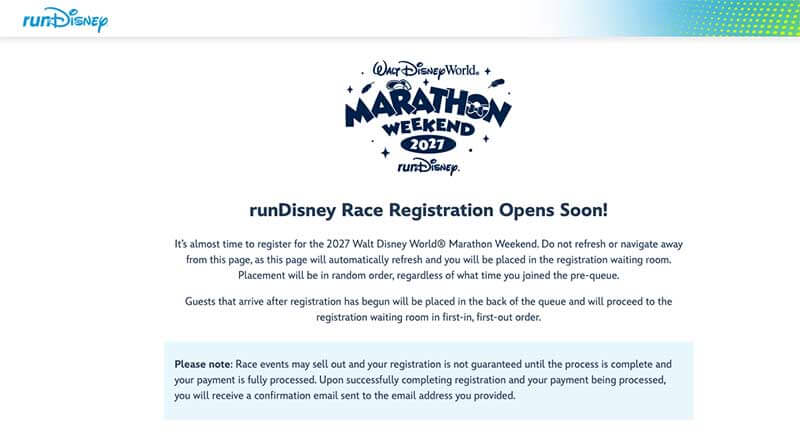
If you're familiar with any Disney special event ticket sales, you know how joining the virtual queue goes, with the timer showing your wait time as "over an hour" or a certain number of minutes before getting access to the tickets page. When you register for a runDisney race, it's like that, too. Here's how to increase your chances of getting into the runDisney registration in terms of timing, prep work and how to move lightning fast.
Know the runDisney Registration Dates
It's important to know the runDisney registration dates and times for each race. It's not always easy to find this information, but we're putting it all in one place! Registration happens months before the race (exactly how far in advance depends on the race weekend). Registration dates for the following year and a half are typically released in October.

Here are the upcoming runDisney 2027 registration dates by event:
- 2027 Walt Disney World Marathon Weekend registration — SOLD OUT
- 2027 Disney Princess Half Marathon Weekend registration — SOLD OUT (Club runDisney: May 26, 2026)
- 2027 runDisney Springtime Surprise Weekend registration — July 7, 2026 (Club runDisney: June 30, 2026)
- 2027 Disney Wine & Dine Half Marathon Weekend registration — TBD (2026 registration was Feb. 10, 2026)
- 2026 runDisney Virtual Series registration — SOLD OUT
- 2026 runDisney Virtual Spooktacular registration — Aug. 11, 2026
- 2026 runDisney Virtual 12Ks of Christmas registration — Oct. 6, 2026
How to Prepare for runDisney Registration
Make Sure You Have a Solid Wi-Fi or Cell Signal
You need to register in a location with a solid signal that will not bump you out of the waiting room or your place in line. For us, that's at home next to our router! We did not have a good signal in a hotel room once, and it knocked us offline, so we lost our place in line! Luckily, we had froggy friends also trying to register for us at home, and we had our phone as a backup plan. If you don't have a strong Wi-Fi signal, use your phone in a spot with a strong cell signal.
Set Up Your Disney Account in Advance
If you have gone to a Disney park recently or even use the Disney+ streaming service, chances are you already have a Disney account. Remind yourself of your username and password before registration day. If not, you can create an account in advance at runDisney.com. Everything you can do to prepare in advance will help you move faster and skip unnecessary steps on registration day. Our Disney account worked when we went to register at runDisney. That said, if you have done a runDisney event before, your information is not saved, and you will need to go through the process again.
Set an Alarm and Have the runDisney Site Pulled Up
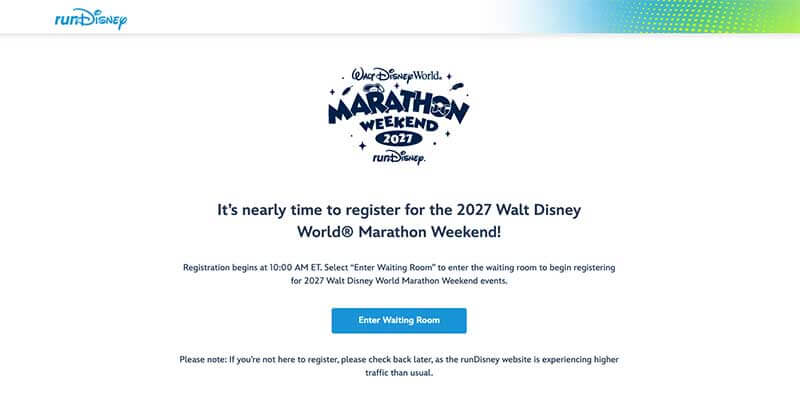
Registration opens at 10 a.m. ET/7 a.m. PT. Set your alarm about half an hour early so you can get set up. Open the race page. On the runDisney site, navigate to the race you want to run. Where is the link to register for runDisney? The link will appear on the page for that race about 20 minutes before the registration time.
You can join a waiting room before it goes live. Then, at registration time, it will dump all those people in the virtual waiting room into the actual virtual queue, but in random order.
You should also pull up the world clock, count down the seconds and try to join right at 10 a.m. ET/7 a.m. PT in a different browser or even on a phone. That puts you in line in the order that you connect, so it could be a faster route. That said, in our experience, it may not always open right at 10 a.m./7 a.m. (could be a few seconds later).
Time is of the essence, so set a reminder to set your alarm for the night before!
Consider Two Ways to Join
There are two ways to try to get into the site to register for a runDisney race:
- Join the Wait Room early — Your page will refresh when registration opens, and you will be placed in a virtual queue in random order, regardless of how early you joined the page.
- Join right at opening time — If you have ever tried to join a virtual queue for a Disney theme park, you might be familiar with counting down the seconds on a world clock or an Apple watch to tap "join" at just the right second. This gives those same vibes.
We've tried both methods. We counted the seconds and joined on our phone (which had a more reliable signal — not on Wi-Fi) right at 7 a.m. Our phone beat out our laptop that was on Wi-Fi and in the pool since 6:40 a.m. But it could be different each time, so try all the options that you can. Our friends at home got in faster on one of their computers that had been in the waiting room. You'll see an estimated wait time on your screen. But don't walk away! The timer can make big jumps in counting down, and you might get in quickly before you know it. You might also see that the time increases, but that's normal too — stay with it!
For the 2027 Walt Disney World Marathon weekend registration, we initially got a "More than an hour" wait time, but after several minutes, we saw "45 minutes" pop up. It turned out to be fairly accurate, as our turn happened right at 10:47 a.m.
Use Several Devices
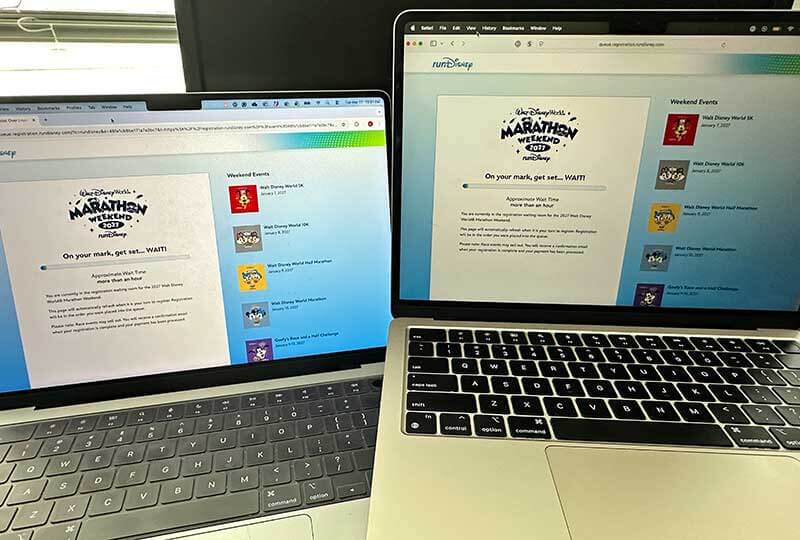
It's kind of a lottery system for getting into the registration. Increase your odds by using a laptop, a desktop, a tablet, a phone, your friends' devices, etc. Any device you have can work for you to see if one of them gets in first. You could even try different browsers on each. If one is using Google Chrome, then use Microsoft Edge or Safari on another.
Collect Everyone's Information the Day Before and Set Up a Group Chat
Are you registering for multiple people? If so, everyone should be doing their part to secure these bibs (if possible). Everyone who is trying to register the group should have each participant's information (see "Participant Information") and be able to purchase for the group with one payment.
Set up a group chat to let the others know any updates, how much time you have before getting in, if you get in and when you've successfully completed registration. That way, you don't accidentally get too many bibs for the same people.
The runDisney Registration Process
OK, you are online and ready to go! Ready, set, go! Once you get into the registration, here's what to do. The first thing you'll do is select the bib for the race you want. Then, for whom the bib is for: "Myself," "Spouse" or "Friend." You cannot save your spouse's or friend's information ahead of time, but you can have it in front of you, so you are ready to go. Save it in a Google Doc or notes app so you can copy and paste it in if you like.
Participant Information Screen
Here is what you will see on the Participant Information screen.
- Choose a Category (which race bib you're buying)
- Participant's Name (first, middle initial and last name)
- Gender
- Shirt size (we've been told to round up a size or two)
- Date of birth
- Email address
- Address
- Phone number
- Emergency contact name, phone number and relationship to the participant
Other categories:
- In-person race (check the box to acknowledge the race is at Disney World)
- Military Division (yes/no)
- Athlete with disability (yes/no)
- Proof of time submission (check the box — not required, but you'll want to for half marathon and marathon)
- Anticipated Finish Time
- Are you a Disney cast member? (yes/no)
- Are you a Disney Vacation Club member? (yes/no)
- Are you a Disneyland Magic Key Holder? (yes/no)
- Are you a Walt Disney World Annual Passholder? (yes/no)
- Have you participated in any runDisney events?
Hop Tip: You can fill out many of the fields after you check out! Just head to your runDisney dashboard. Your name and address cannot be changed without contacting runDisney and verifying that you are you. But you can update other information as needed.
You can provide your proof of time or exchange your shirt for a different size at the Expo if you need to.
Proof of Time
You do not have to submit a proof of time for a runDisney race, but you might want to for some longer races (such as the half marathons and marathons). If you're a competitive racer and want to be in some of the first corrals, you'll need to submit a proof of time to prove you are fast enough. You can add proof of time after you register. You can put in your previous finish time, the race location and a link to the race results. For the sake of time, skip this step while registering for a runDisney race. Go back to your dashboard after you complete your registration.
Adding Another Bib
After filling out the necessary components, you can click a button that says, "I want to add another registration." If you want to add yoga, another race or another participant, this is where you can do that. However, this button appears before your purchase is complete, so you run the risk of it selling out (no pun intended).
Again, the more bibs you add to a purchase, the longer it will take to finalize the purchase and secure those bibs, which could sell out in the middle of the process. If you have a must-do race, purchase it first. Then go back and add more races or participants.
Purchase Quickly
Even if you're in the act of purchasing a bib, it can sell out, and you won't get it, so purchase ASAP. There are a few different philosophies when registering for a group or more than one race/activity:
- Everyone for Themselves — Keep in mind that registering for multiple people could slow you down to the point that bibs sell out while you are still inputting information for additional people. So if you want to run no matter what, pay for yourself before adding anyone else.
- Hop tip: Once you receive your confirmation, click the runDisney logo in the top left corner, which takes you back to registration for additional races or participants.
- If One of Us Doesn't Run, None of Us Run — If you only want to run if your friends or family can run with you, then make sure to input everyone before purchasing. That way, you don't end up racing alone.
- Book the Race You Want Most First — If you're looking to do more than one runDisney race, complete the transaction for the bib you want the most first. Then go back and buy the other.
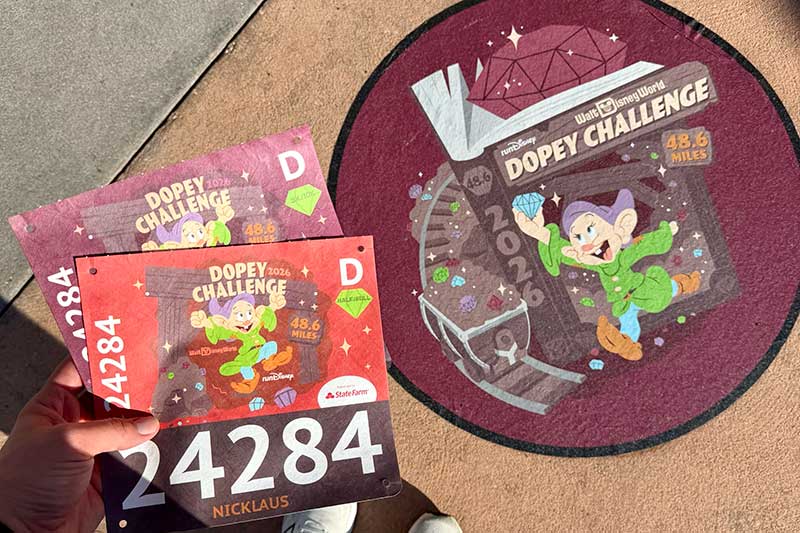
- Know Which Races Are Included with Challenges — If you want to participate in a challenge, make sure you know which races are included! For example, the Disney Wine & Dine Challenge and Disney Fairytale Challenge only include the 10K and Half Marathon, so you would also need to purchase the 5K race if you want to complete all three races. However, the Springtime Surprise Challenge includes the 5K, 10K and 10-Miler. For Walt Disney World Marathon Weekend, the Dopey Challenge includes all races, while the Goofy Challenge is only the half and full marathons.
The 10K and Challenge races seem to sell out the quickest. The Challenges might even sell out before the individual components of the challenges sell out. In that case, you could still book the 10K and Half Marathon separately, but you wouldn't be able to get the Challenger medal because it was sold out. The half-marathon and marathon tend to sell out last. This year, runDisney announced there would be more 5K bibs available for all race weekends, and it ended up being the last to sell out for the 2027 Walt Disney World Marathon Weekend registration.
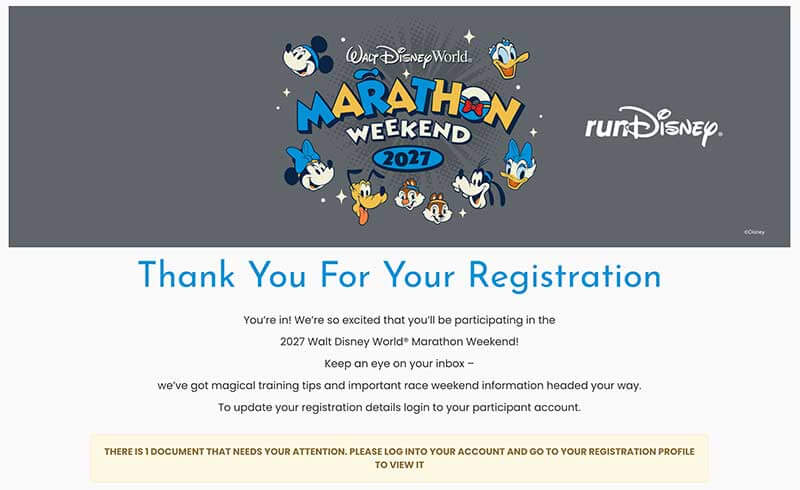
Bibs are not secure until you see the confirmation message. You'll also receive a confirmation email. (Be sure to check your spam folder.) Congratulations, you've made it to the finish line! Now, it's time to start training for the real race!
Accepted Payments
The registration accepts one form of payment in total. You can use a credit card or a gift card, but not both in the same transaction. You can only use one gift card at a time to pay, so the card must have a large enough balance to cover the entire purchase. And a Disney gift card can hold a maximum of $1,000. Do the math in advance to make sure you can cover the cost with your gift card.
Using a gift card is one way to save on the cost of the race. You can often get a deal on Disney gift cards from your favorite membership warehouse (Sam's Club or Costco) or through Target with the 5% Red Card discount. Copy the gift card number or credit card number somewhere on your computer or phone so you can copy and paste it to save time. You do not get to use passholder discounts on runDisney races. But we do have a few tips for saving money on race weekend.
Keep Checking
Sometimes races that were listed as sold out go back on sale, hours, days and even months later. If you do not get a bib and see a race become available again, act quickly!
Book That Hotel Room and Buy Theme Park Tickets Early
We actually recommend that you book a refundable or cancellable hotel room before you register for the race. That way, you secure lodging with the best prices and selection before everyone gets their bibs and starts booking. If you don't get the bibs you want, cancel the hotel. You can save some money on Disney World hotel rooms when you book through Undercover Tourist. We sell discount hotel rooms for both on-site hotels and off-site hotels. You can cancel up to eight days before your trip.
Be sure to arrive early enough (at least the day before the race) so you have time to pick up your bib at the Expo before it closes the night before. You cannot pick up your bib on race day, and nobody else can pick up your race bib for you (exceptions for parents of minors). Knowing the Expo hours can help you plan your travel. Don't let a flight delay keep you from getting there in time. Plan a buffer. Read up on runDisney race day tips.
You know you want to take photos in the theme park with your race medal and get special race-day MagicShots from PhotoPass photographers! You'll need theme park tickets. You can also save some green on theme park admission. The parks may sell out closer to race weekend.
Club runDisney

Consider a Club runDisney membership if you plan to participate in multiple races in the following year or two. You can purchase a race bib a week earlier than other participants (only for some membership levels), which can be a big stress reliever, and get Tier 1 pricing.
2026 Club runDisney memberships went on sale June 10, 2025 (TBD for 2027 memberships). The memberships are limited and do sell out quickly.
Are you planning on running your first runDisney race in the next year? Let us know what other questions you have in the comments below! Or, if you've registered before, please share your hopful tips for runDisney registration. You can save money on race weekend with discount Disney World tickets and hotel bookings.
Related: The Frog Family's Step-by-Step Guide to runDisney Events at Disney World
Hoppy planning!